

Analytics
Overview
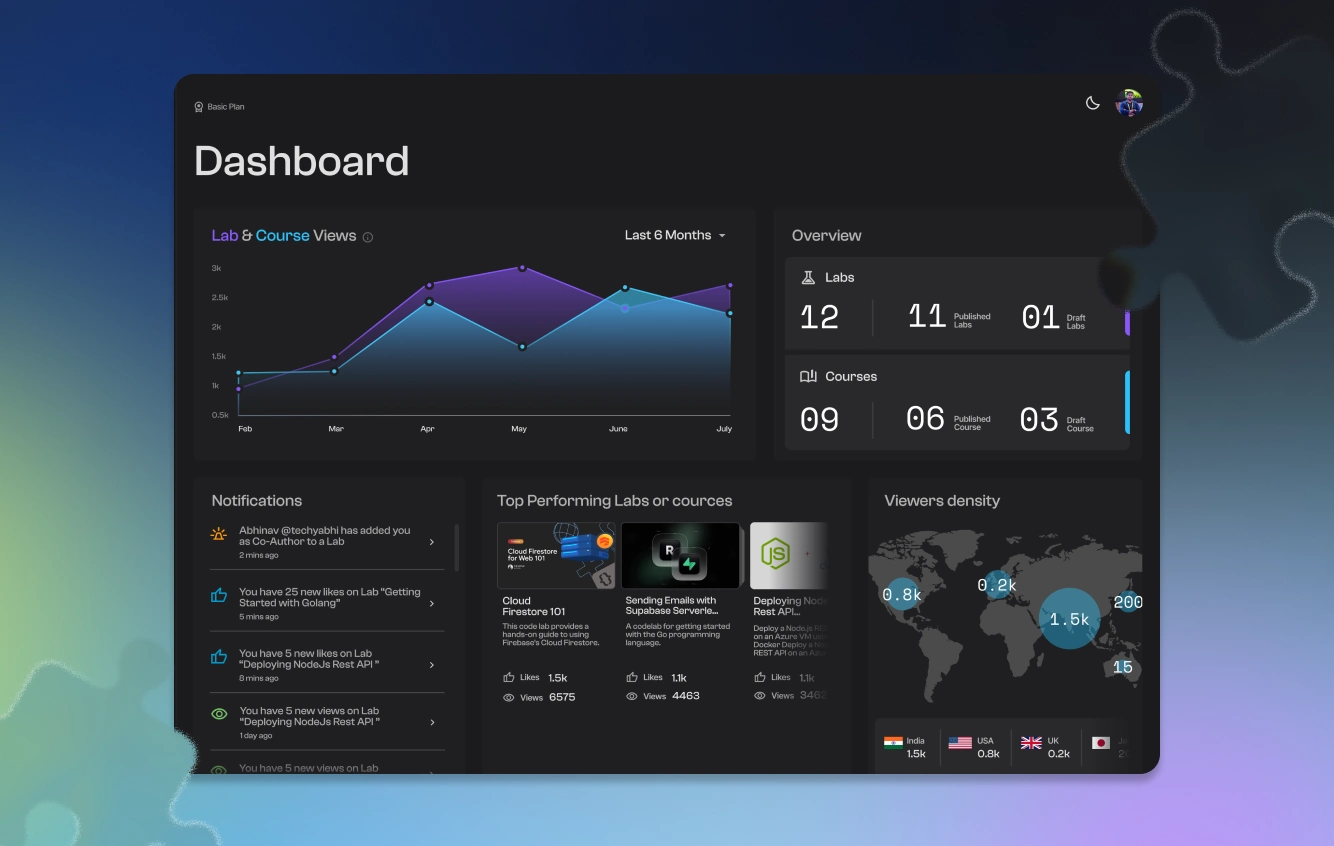
Use Studio lab and course stats to track views, funnels, devices, geography, and learner progress.
Studio analytics live on each published lab and course. Open a lab or course, then go to its Stats page to see engagement over time and how learners move through the content.
Drafts do not collect learner analytics until they are published.
Open stats
Open Labs or Courses
In Studio, open Labs or Courses.
Open the item
Open the item you want to inspect.
Go to Stats
Go to Stats (
…/labs/{id}/statsor…/courses/{id}/stats).
You can also review high-level activity on the workspace Overview.
Time ranges
On both lab and course stats:
- Last 7 days
- Last 30 days
- Last 90 days
- Since published
Lab stats
Overview tab
| Metric / chart | What it shows |
|---|---|
| Total views | Opens of the lab in the selected range |
| Most visited country | Top country by traffic |
| Likes | Learner likes |
| Co-authors | People with edit access |
| Views chart | Daily views over time |
| Country map | Geographic distribution |
| Referral sources | Where traffic came from |
| Device distribution | Desktop / mobile / other |
| Step completion funnel | How far learners get through steps |
Progress tab
| Metric | What it shows |
|---|---|
| Learners tracked | People with recorded progress |
| Completed / In progress | Status counts |
| Completion rate | Share who finished |
| Average completion time | Typical time to finish |
| Per-section breakdown | Progress by lab section |
| Learner table | Status, sections done, time, last update (filterable) |
Course stats
Overview tab
Total views, top country, co-authors, views chart, country map, and referral sources.
Progress tab
Learners tracked, completed / in progress, completion rate, average time, per-lab breakdown inside the course, and a learner table.
Using stats to improve content
Find the steepest drop
Find the steepest drop in the step funnel (labs).
Check time spent
Check time spent: long stays often mean complexity; very short stays often mean confusion or skip.
Edit and compare
Edit that step, republish, and compare the next range.
For certificates and campaign-style completion programs, see Certifications.