

AI and Capture
AI Rewrite
Use Smart AI Rewrite and AI Rephrase to turn dense technical prose into clear, learner-friendly instructions, available on all plans.
Smart AI Rewrite and AI Rephrase help you polish lab content without leaving the editor. Both are available on all plans, including Freemium.
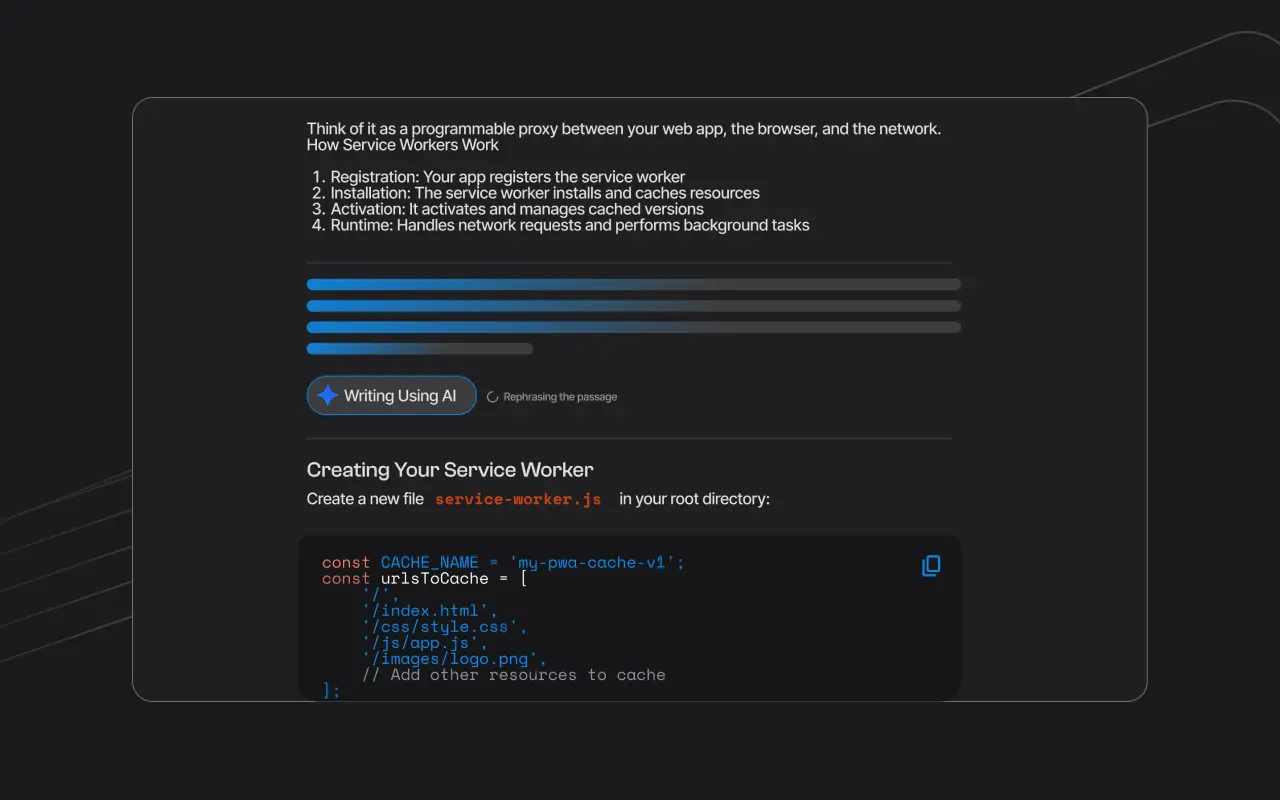
Smart AI Rewrite
Smart AI Rewrite helps you turn dense technical jargon into clear, learner-friendly instructions. Select any text in the editor, right-click or open the context menu, and choose AI Rewrite. The AI returns a revised version that preserves the meaning while improving readability.
Use Smart AI Rewrite when:
- You've pasted content from a highly technical source and it reads like a spec sheet
- You want to simplify instructions for a less experienced audience
- A step is too long and you want a tighter version
AI Rephrase
AI Rephrase is a lighter version of Smart Rewrite: a quick one-click tool available directly in the editor toolbar. Select a sentence or paragraph and click Rephrase to get an alternative phrasing. Useful for varying sentence structure or removing filler language without a full rewrite.
See also slash commands and shortcuts in the editor.
Workflow tips
Draft first
Paste or draft the step content first: don't rewrite empty placeholders.
Select a useful span
Select the smallest useful span (a paragraph or instruction block) rather than an entire multi-step lab at once.
Compare to source of truth
Compare the rewrite against your source of truth (repo, API docs, product UI).
Keep exact technical details
Keep version numbers, package names, and command flags exact even when prose changes.