
 Stepflow AI
Turn screenshots into step-by-step labs in seconds
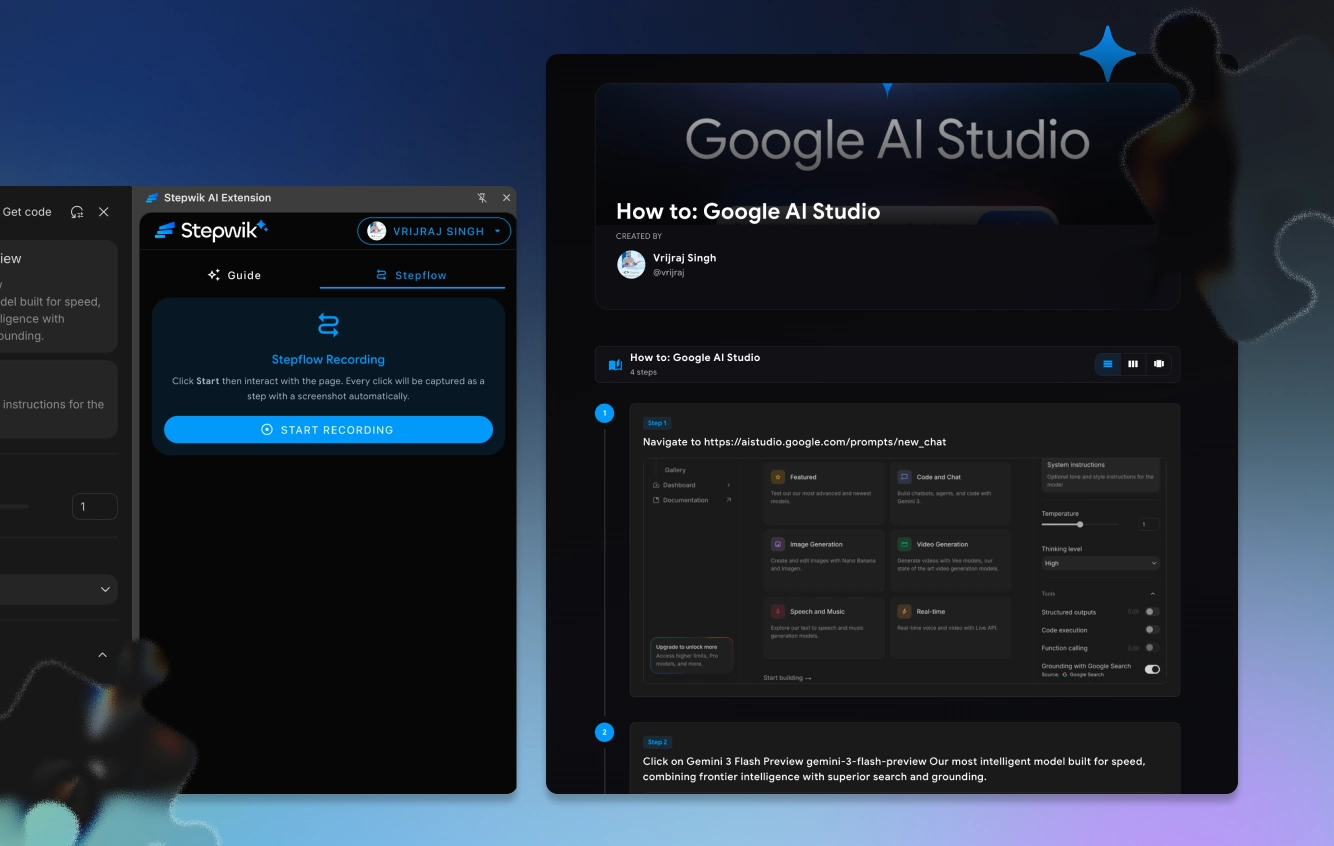
Capture your screen, upload the shots, and Stepflow AI generates numbered, annotated steps automatically. Document any workflow without writing a word.
Any app
Works everywhere
< 60s
Draft generation
Auto
Annotations
Studio
Edit & publish
How it works
Screenshot to lab in three steps
Upload a sequence, let AI structure it, then polish and publish from Studio.
Capture your workflow
Take screenshots of each step in your workflow: any tool, any app, any platform.
Upload and let AI work
Stepflow AI analyzes each image and generates annotated, numbered steps in seconds.
Edit in Studio and publish
Review the AI output, tweak any steps, and publish your guide as a live lab.
Use cases
Every workflow is
teachable
From internal tools to customer-facing products: if you can screenshot it, you can turn it into a lab.
Standard operating procedures
Turn click-path screenshots into maintainable SOPs your team can follow and update.
Product walkthroughs
Document UI flows with annotated screenshots. Faster than video, clearer than docs.
Support playbooks
Give support agents visual, step-by-step guides they can share with customers instantly.
What you get
Your screen is worth a thousand words
Upload any screenshot sequence
Drag in a sequence of screenshots from any workflow and AI identifies the order automatically.
AI step extraction
The AI reads each screenshot, identifies the key action, and writes a clear step description.
Auto-annotation
Stepflow marks key UI elements (buttons, fields, icons) with visual callout annotations.
Automatic numbering
Steps are numbered and sequenced. Reorder with drag-and-drop if needed.
Export to any format
Export as Markdown, HTML, PDF, or a live Stepwik lab. Use it wherever you need it.
Re-generate on update
When the UI changes, re-upload relevant screenshots. Stepflow regenerates while preserving your edits.
Next step
Document your workflow. Stepflow writes the steps.
Upload any sequence of screenshots and get a polished, numbered guide in seconds.