
 AI Chrome Extension
Turn any webpage into a lab in one click
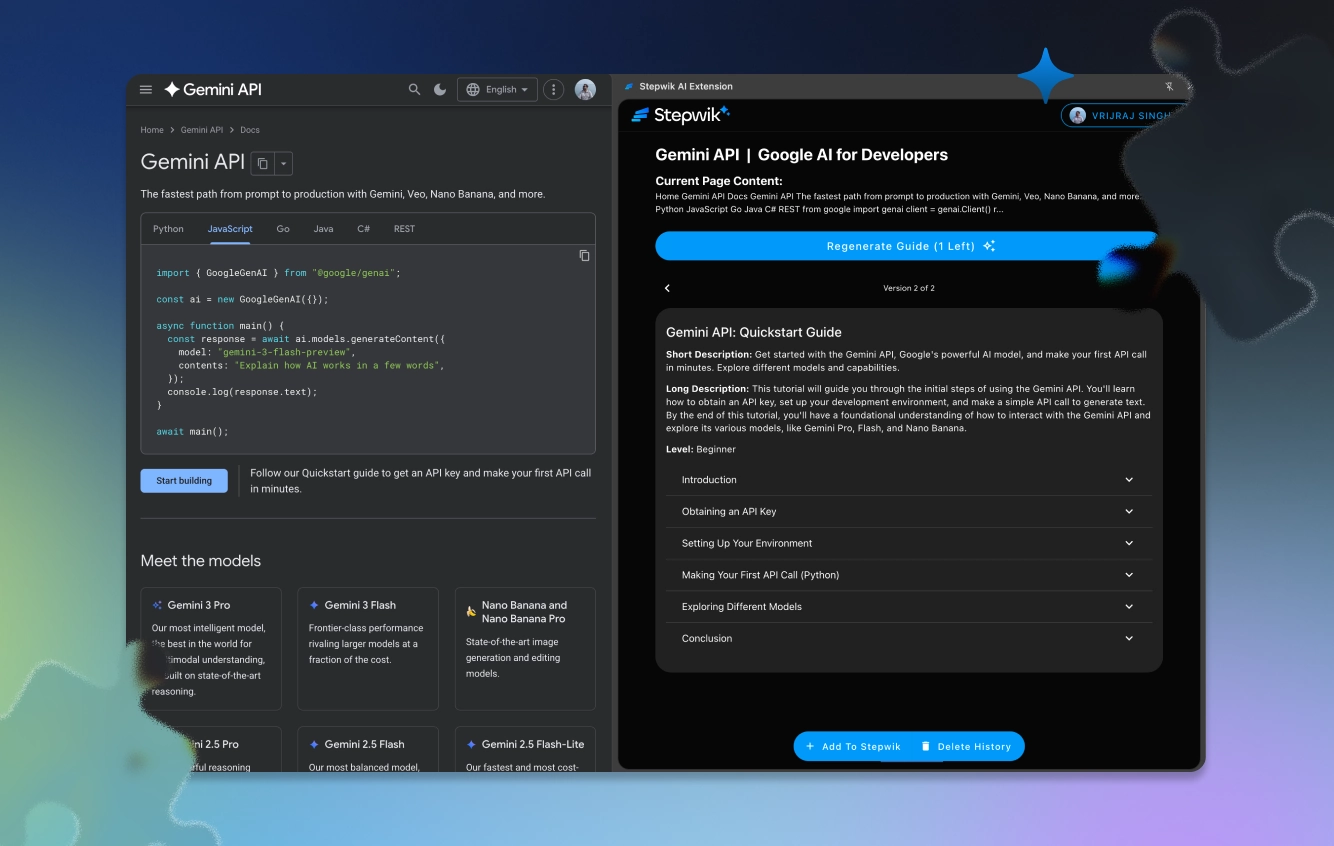
The Stepwik Chrome Extension captures any page (docs, dashboards, tools) and uses AI to convert it into a structured, step-by-step lab automatically.
1-click
Page capture
< 60s
Draft generation
Any site
Works everywhere
Studio
Edit before publish
How it works
From any page to a published lab
Install once, capture anywhere, publish from Studio. No manual copy-paste required.
Install the extension
Add Stepwik to Chrome from the Web Store. One-time install that works on any site you visit.
Click capture on any page
Navigate to the page you want to teach. Click the Stepwik icon and AI analyzes and generates a lab draft.
Edit in Studio and publish
Open the draft in Studio, refine as needed, then publish to your team or public hub.
Use cases
If you can browse it,
you can teach it
Product teams, support, and enablement use the extension to turn live web experiences into guided labs learners can follow.
Product onboarding
Turn your live product UI into guided labs for new users and trial accounts.
Support & success
Replace long Loom links with step-by-step labs support can share in one click.
Enablement teams
Document internal tools and workflows without maintaining separate wiki pages.
What you get
Built for speed, polished for learners
One-click capture
Captures page content, layout, and context. Nothing to copy-paste manually.
AI-powered structuring
Reads the page and generates a clean, step-by-step lab with headings and logical flow.
Automatic screenshots
Key UI elements are captured and annotated so your lab includes visual context.
Edit before publishing
Review the AI draft in Studio before it goes live. Add context, trim steps, adjust framing.
Share in seconds
Learners see a polished, interactive lab, not a screen recording or a PDF.
Re-capture on updates
When the source page changes, re-run the extension to regenerate an updated draft.
FAQ
Common questions
Next step
Install once. Create labs forever.
The Stepwik extension lives in your browser and turns the web into interactive learning, one click at a time.