
Release notes
More Control. Better Workshops. Deeper Integrations.
Slide Mode for workshops, API usage and MCP logs, organization publishing, and clearer content limits across Individual and Organization plans.


Vrijraj Singh, Rohan Patel
2 authors
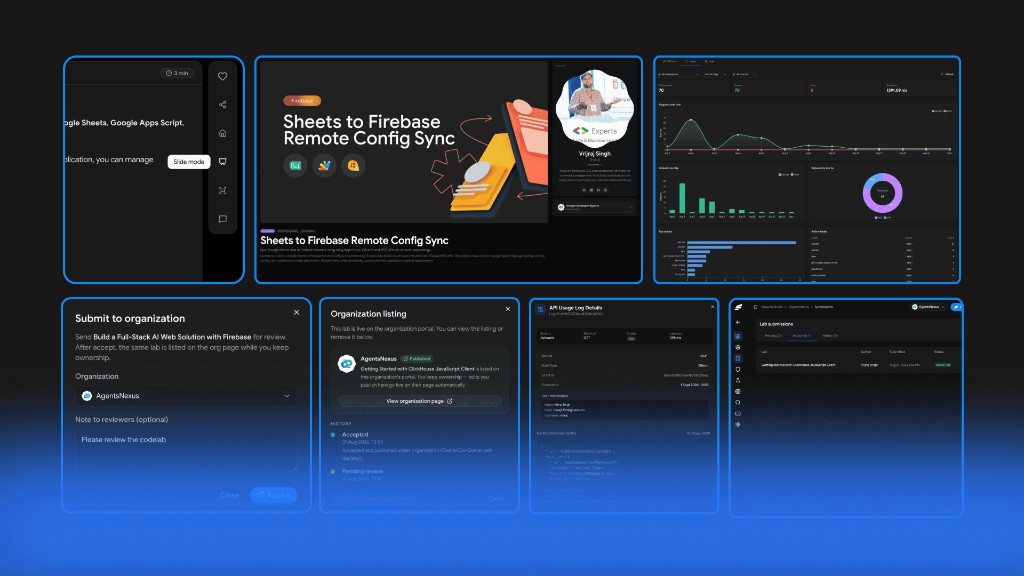
We shipped. You should probably see this.
We’re making Stepwik more flexible for how you create, teach, and share technical content. This release brings better content control, simpler workshops, and deeper API visibility.
We’ve been working on making Stepwik more flexible for creators, organizations, workshop trainers, and developers.
This release brings better control over your codelab content, a new way to present codelabs during workshops, organization publishing, and deeper visibility into your API and MCP activity.
Here’s what’s new.
Introducing Slide Mode
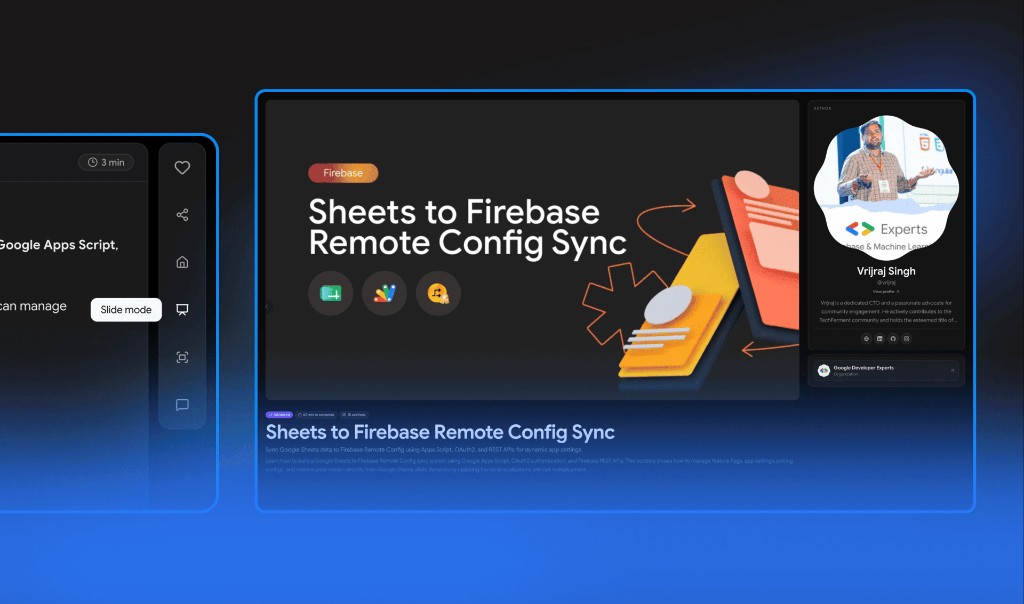
Turn your codelab into a workshop-friendly presentation.
Codelabs are great for hands-on learning, but workshop trainers and developer advocates often need a simpler way to present the same content while teaching.
That’s why we’re introducing Slide Mode.
With Slide Mode, you can present your codelab in a more focused, presentation-friendly format while conducting workshops, training sessions, technical demos, or developer education programs.
Instead of asking participants to follow every part of the codelab interface, trainers can use Slide Mode to walk through the content step by step while keeping the focus on what they’re teaching.
Built for
- Workshop trainers
- Developer advocates
- Technical instructors
- Community educators
- Internal engineering training
- Technical demos and sessions
And when you’re ready to go back to the hands-on experience, you can return to the regular codelab view.
One codelab. Two ways to teach.
Check the Take a lab docs.
API Usage & Logs
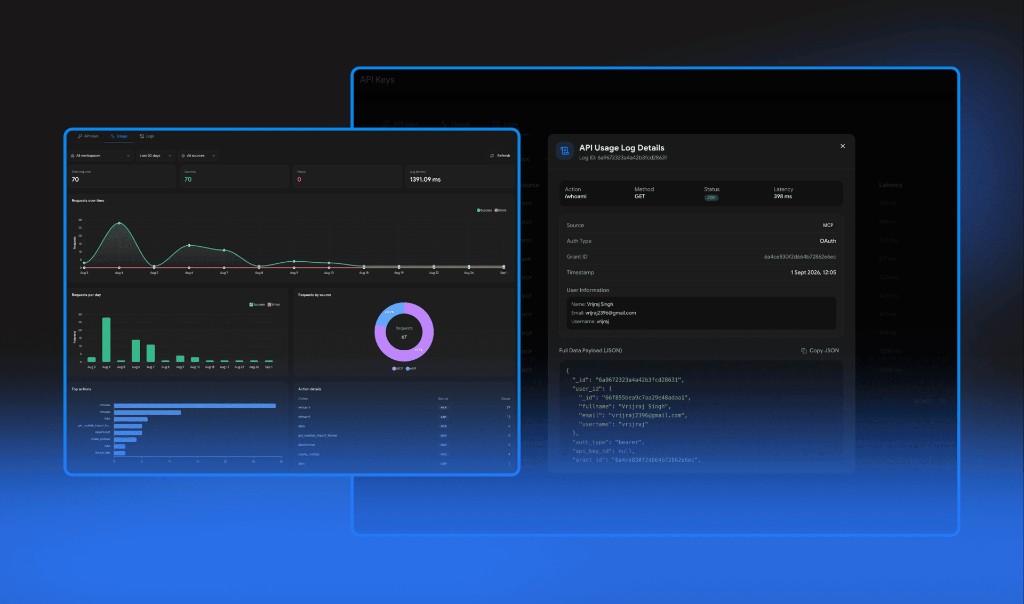
More visibility into what’s happening behind the scenes.
Working with APIs and MCP integrations often means debugging requests, checking responses, and figuring out what went wrong. We’ve added a dedicated API Usage & Logs section to make that process easier.
You can now get more visibility into your Stepwik API requests and MCP activity from one place. Use the logs to understand what requests are being made, inspect activity, and troubleshoot issues while building your integrations.
Monitor API activity
See how your Stepwik API is being used and understand your request activity.
Debug integrations
When something doesn’t work as expected, logs give you more information to identify what happened.
Inspect MCP activity
Get better visibility into MCP requests and activity while developing MCP-based workflows.
Build with confidence
Whether you’re integrating Stepwik into an existing application or experimenting with MCP, having access to usage and logs makes development easier.
Check the API Playground docs.
Publish Your Codelabs to Organizations
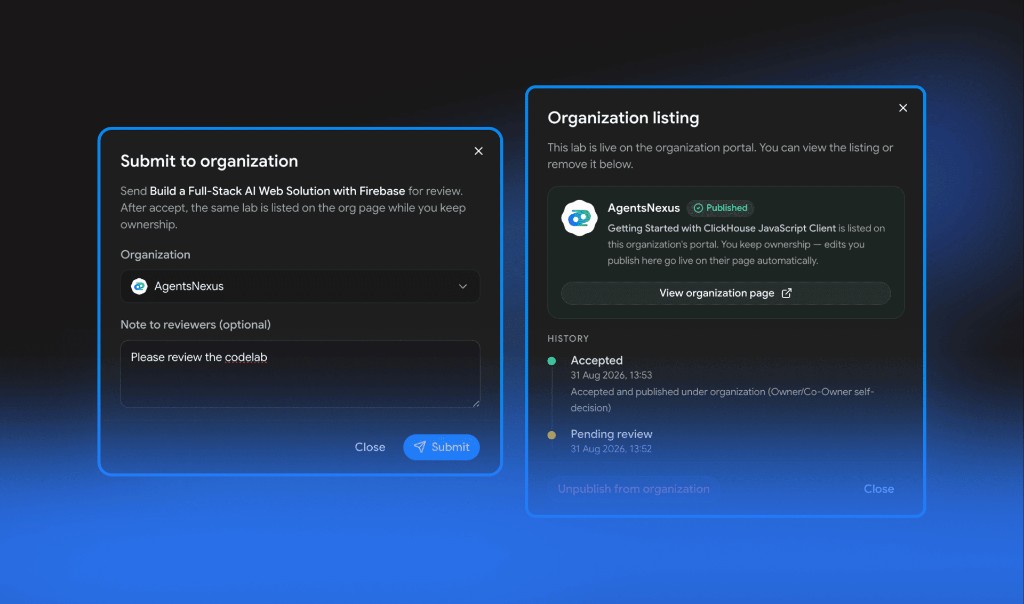
Your codelabs don’t always have to live only in your personal workspace.
You can now submit your codelabs to an associated organization and make them available as part of the organization’s learning content. This is especially useful when you’re creating tutorials, workshops, technical guides, or learning material on behalf of a company, community, or developer program.
Once a codelab is submitted and approved by the organization, it can appear on:
- Organization’s Stepwik page
- Organization’s custom subdomain
- Organization’s public codelab collection
This gives creators a better way to contribute content to the organizations they’re associated with while giving organizations more control over the content published under their brand.
Check the Lab submissions docs.
Set the Right Content Limit for Every Plan
You can now add more content to your codelabs depending on the plan you’re using. Content Limit defines the maximum number of characters you can add to a single section of your codelab. This helps keep content manageable while giving higher-tier plans more room for detailed technical documentation, tutorials, and learning experiences.
Individual Plans
- Free: 5,000 characters per section
- Pro: 10,000 characters per section
Organization Plans
- Freemium: 5,000 characters per section
- Startup: 10,000 characters per section
- Business: 15,000 characters per section
- Enterprise: Custom
Whether you’re creating a short tutorial or building a detailed technical workshop, you now have a clearer understanding of how much content each section can support.
Check the Billing docs.
Stepwik × AgentsNexus 2026
We’re excited to announce that Stepwik is the Official Codelab Partner for AgentsNexus 2026, one of India’s biggest gatherings focused on Agentic AI.
We’re joining the event to support hands-on learning and connect with the developers, founders, and AI builders shaping what’s next.
- Date: September 4-5, 2026
- Where: Bengaluru, India
Exclusive for the Stepwik Community: get 20% off your conference registration with code STEPWIK20.
If you’re attending, come say hello to the Stepwik team. We’d love to hear what you’re building!
See you in Bengaluru!
More Control. Better Workshops. Deeper Integrations.
This release is another step toward making Stepwik more than just a place to write codelabs.
With better content limits, Slide Mode for workshops, organization publishing, and API & MCP visibility, Stepwik is becoming a more complete platform for creating, teaching, sharing, and integrating technical knowledge.
And we’re just getting started.
Explore the latest Stepwik updates and start building.
Related docs

Ship your next codelab today
Turn docs and repos into interactive learning. Free to start, built for creators, trainers, and teams.
No credit card required