
Release notes
Announcing Stepwik MCP Server
Connect Cursor, Claude, and other AI assistants to Stepwik with MCP - search, create, and update labs and courses from your editor.


Vrijraj Singh, Rohan Patel
2 authors
Overview
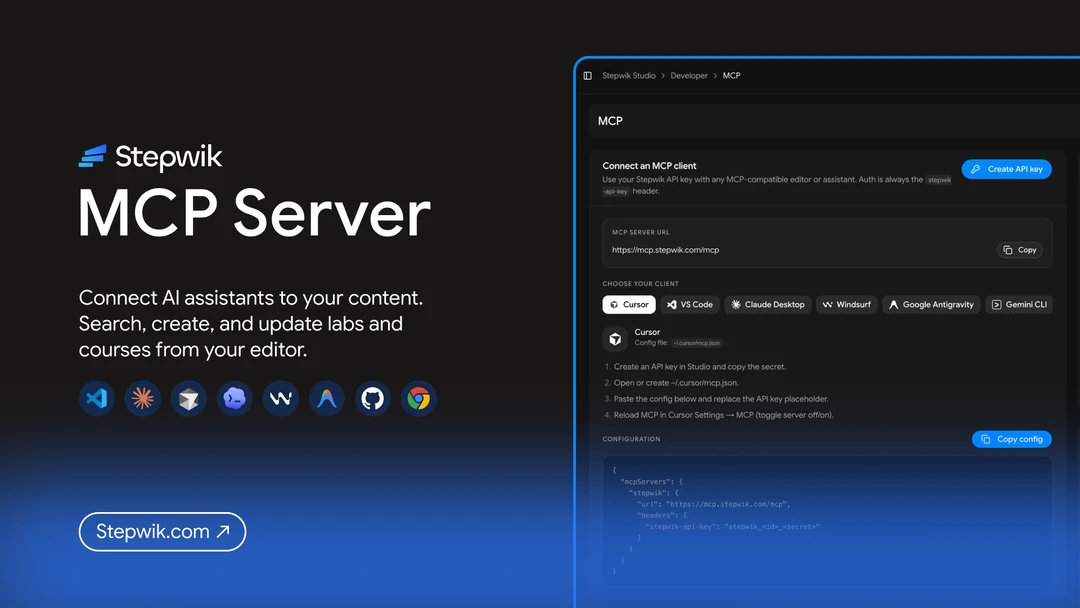
Stepwik now has an official MCP server, a remote Model Context Protocol gateway that connects AI assistants to your labs, courses, and Studio account.
Check the MCP docs.
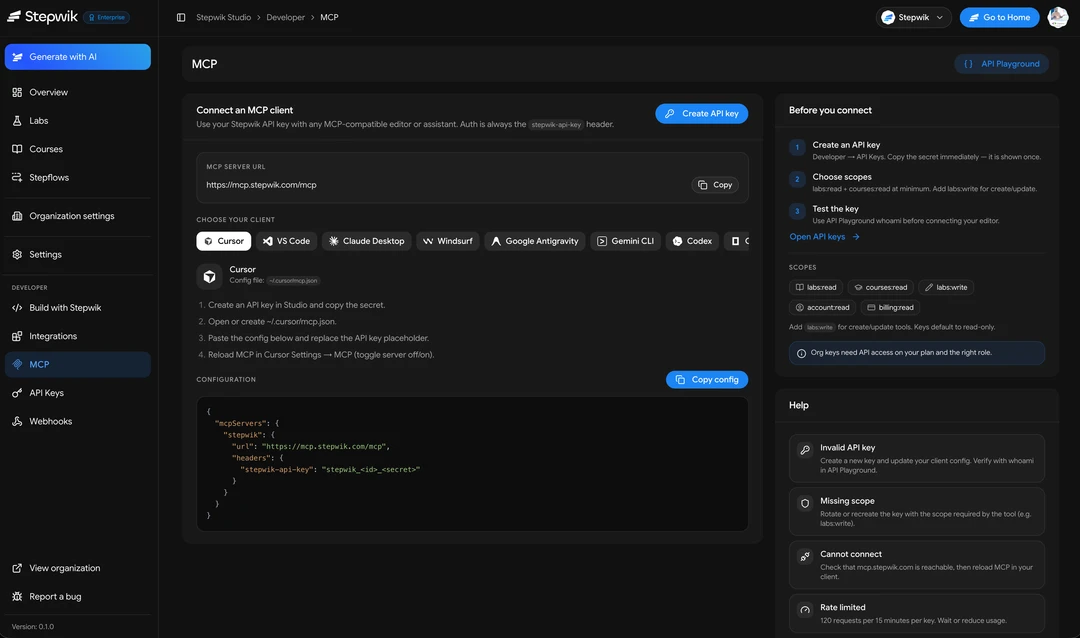
Instead of copy-pasting between chat and Studio, you can ask Cursor, Claude Desktop, Claude.ai, VS Code, Windsurf, and similar clients to:
- Search public Stepwik content
- List and read labs and courses in your workspace
- Create and update private draft labs and courses
- Inspect account context, organizations, and billing summaries
Where it lives
- MCP endpoint:
https://mcp.stepwik.com/mcp - Setup in Studio: Developer → MCP
- Keys: Developer → **API Keys**
- OAuth apps: Developer → **Connected apps**
Why this matters
- Speeds up documentation and codelab publishing.
- Enables AI-assisted workflows for content operations.
- Standardizes how tools interact with Stepwik resources.
What you can do with MCP
Discover
Search public labs and courses, and open public stepflows when you need product context.
Create and edit
Generate a lab or course draft in conversation, then import it into Studio as a private draft. Open the returned draft_url, polish in the editor, and publish when ready.
Manage workspace content
With the right scopes, assistants can list your labs and courses, read full content you can access, and update owned or co-authored items.
Account context
Tools like whoami, list_my_organizations, and get_billing_info help the assistant stay oriented in the correct personal or organization workspace.
Important
How to connect
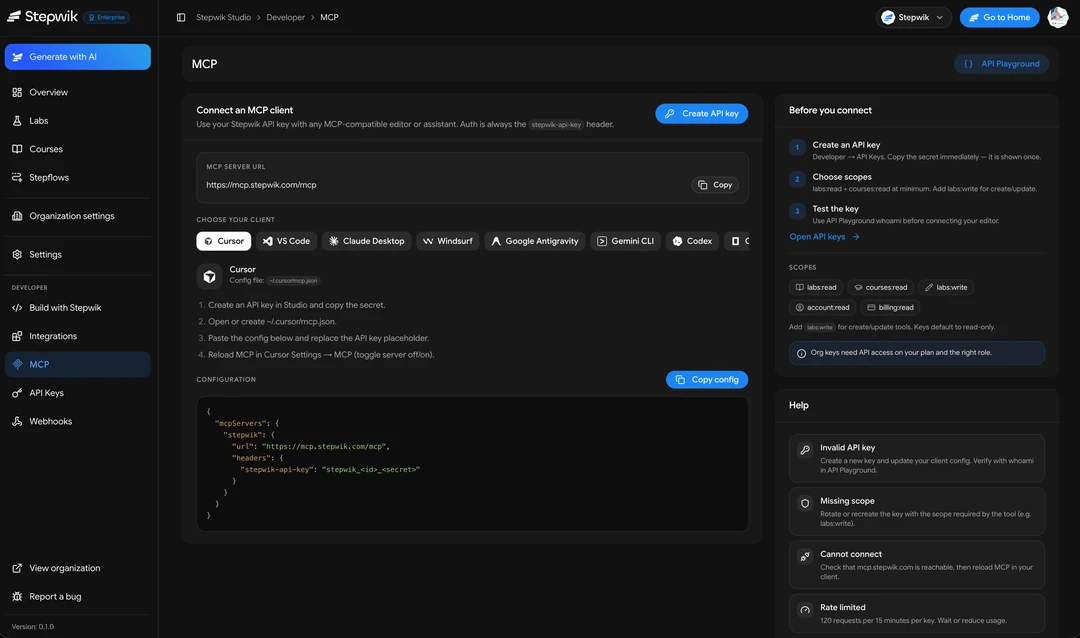
API key clients (Cursor, Claude Desktop, and more)
- Open Studio → Developer → API Keys and create a key. Check the API keys docs if you need the full setup.
- Grant at least
labs:readandcourses:read. Addlabs:write/courses:writefor create and update. - Add Stepwik to your MCP client config using
https://mcp.stepwik.com/mcpand thestepwik-api-keyheader. - Reload MCP in the client, then try
whoami.
Example shape:
{
  "mcpServers": {
    "stepwik": {
      "url": "https://mcp.stepwik.com/mcp",
      "headers": {
        "stepwik-api-key": "stepwik_<id>_<secret>"
      }
    }
  }
}
OAuth (Claude.ai)
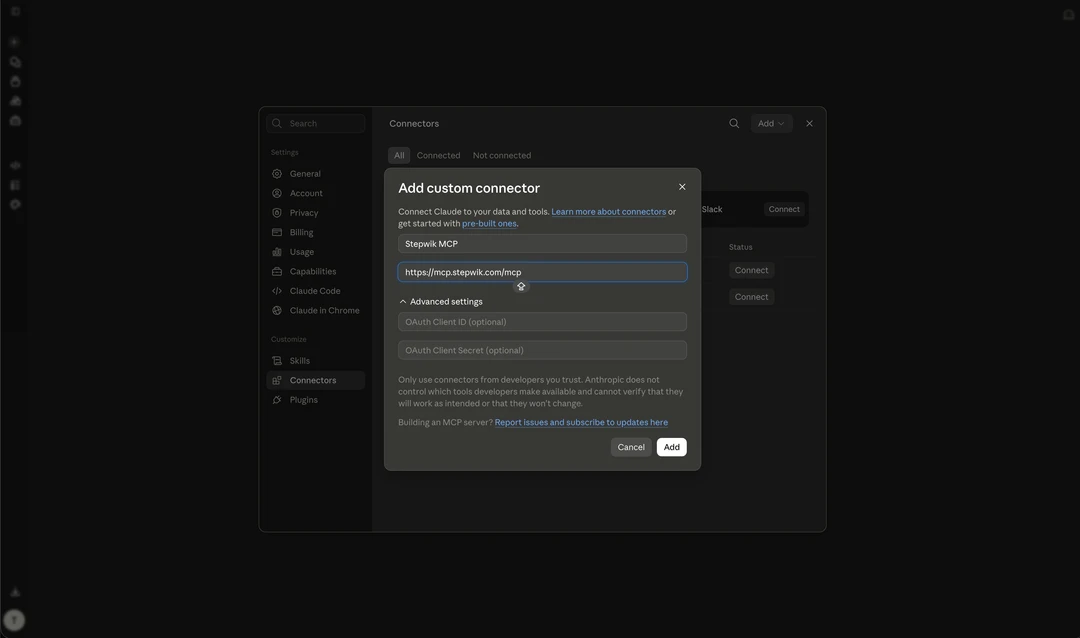
Claude.ai can connect without pasting a key. Authorize from Claude’s connectors flow, then approve access in Stepwik’s consent screen. Revoke anytime from Studio → Developer → Connected apps. Check the Connected apps docs.
Personal vs organization
The API key chooses the workspace. A personal key manages your individual content; an organization key manages that org’s Studio content.
Scopes and safety
Treat API keys like passwords.
Recommended scopes
- Read:
labs:read,courses:read - Write:
labs:write,courses:write - Account:
account:read,billing:readwhen needed
Guardrails
- Creates are always private drafts
- Access is limited to content you own, co-author, or can access via the organization key
- Rate limits apply per key
- Rotate or revoke keys if a client or laptop is compromised
Docs path
For hands-on setup, check the MCP and API keys docs, or open Studio → Developer → MCP.
Important Notes and Best Practices
Draft-first publishing
- New labs/courses are best created as drafts first.
- Review titles, tags, and section quality before publishing.
Scope hygiene
- Use least-privilege API keys for production automation.
- Rotate keys regularly and store them in a secure secret manager.
Content quality standards
- Keep sections outcome-focused with clear action steps.
- Use consistent tags so discovery and course grouping remain clean.
Suggested release comms pattern
- Publish one release-note codelab per major launch.
- Attach that codelab to a dedicated release-note course for discoverability.
- Share the Studio MCP access link in every announcement.
Stepwik MCP Server is now ready to support scalable, agent-friendly documentation and learning workflows.
What's next
We’re continuing to expand MCP coverage so assistants can help you draft, organize, and maintain Stepwik content without leaving your editor.
Try it today
- Create an API key in Studio
- Connect Cursor or Claude to
https://mcp.stepwik.com/mcp - Ask the assistant to create a draft lab, then open the Studio
draft_url
Thanks for building with Stepwik. We’d love to hear what you automate first.
Related docs

Ship your next codelab today
Turn docs and repos into interactive learning. Free to start, built for creators, trainers, and teams.
No credit card required